

Hey! If you’re living, studying, or traveling in Canada, you’re probably familiar with rideshare apps. But honestly, when I first arrived in Toronto, I got burned badly! Every time I opened the app and saw Surge Pricing, my heart sank, and waiting for a ride in minus 20-degree blizzards made me question my life choices……
Later, I discovered that Lyft has so many hidden features and money-saving hacks! From referral code bonuses and loyalty point stacking to winter survival strategies—if you know how to use them wisely, you can genuinely save 20-30% on ride costs while simultaneously earning airline miles and hotel points!
In this comprehensive guide, I’ll share everything without holding back:
✅ How to use referral code CHU51350 to get new user benefits
✅ Triple Points Strategy: Earn credit card rewards + airline miles + hotel points simultaneously
✅ Canadian winter rideshare survival guide (this is super important!)
✅ Complete breakdown of airport pickups, Lyft Pink membership, and safety features
Table of Contents
📊 Essential Lyft Canada Facts: 5 Core Advantages
💰 Genuinely 15-20% Cheaper Than Uber
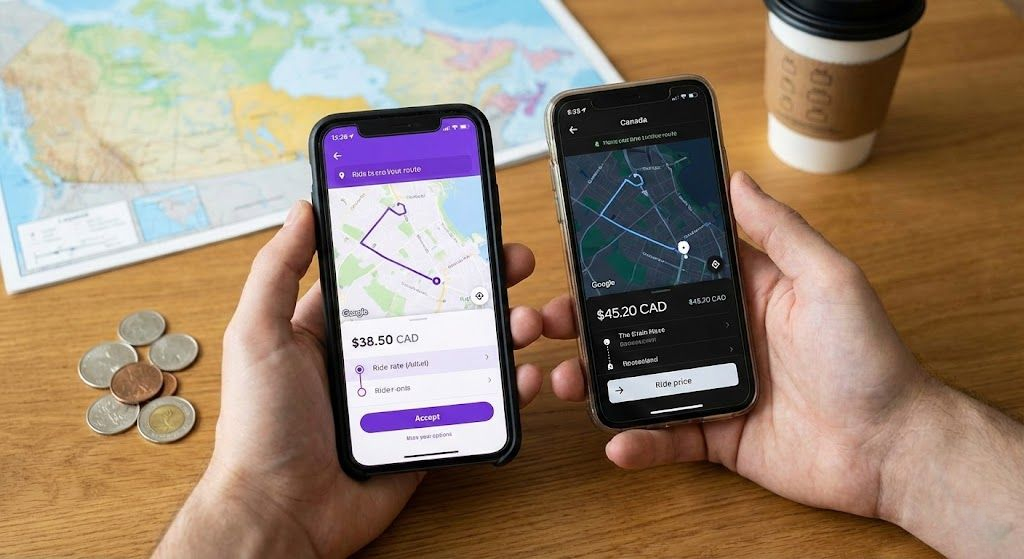
This isn’t just my opinion! I’ve actually tested this in Toronto, Vancouver, and Calgary, and Lyft’s base fares are typically somewhat cheaper than Uber. Depending on the city and time of day, the price difference ranges from about 5-15%.
Why is it cheaper?
- Lyft focuses on the North American market with more flexible pricing strategies
- Driver commission rates are relatively reasonable, indirectly reflected in fares
- New user promotions are more generous
Real Test Data (Toronto Downtown → Pearson Airport YYZ):
- Uber: $45-55 CAD
- Lyft: $38-48 CAD
- After using referral code CHU51350: Save an additional $5-10 on your first ride!
💡 Pro Tip: Before requesting a ride, open both Lyft and Uber to compare prices, then choose the cheapest option!
🌟 Lyft Pink Membership: Hidden Value in Winter

Monthly Fee: $9.99 USD/month (Annual $99 USD)
Core Benefits:
- ✨ 5% Discount: On Standard, XL, and Premium comfort ride types
- 🚗 Priority Pickup: Preferential ride assignment (crucial in winter!)
- ❌ 3 Free Cancellations/Month: No worries about changing plans
- 🍔 Grubhub+ Membership: One year of free Grubhub+ (US only, not available in Canada)
💡 Is It Worth Subscribing? Let’s Do the Math!
Assumptions:
- Monthly fee: $10
- Average ride cost: $20
- Discount: 5%
Break-even Formula:
N × $20 × 5% > $10
N > 10 rides
Conclusion: You break even after 10 rides per month!
However, Lyft Pink’s Priority Pickup feature depends on vehicle availability and isn’t always accessible. According to official information, when priority pickup is unavailable, members still enjoy member-exclusive pricing on standard rides. Therefore, whether you can actually get priority pickup during extreme weather conditions depends on driver availability at that time.
✈️ Points Ecosystem: Earn Flight Miles and Hotel Points While Riding
This is the most overlooked goldmine! Lyft has established deep partnerships with Alaska Airlines and Hilton Hotels, meaning: every Lyft ride simultaneously earns you airline miles or hotel points!
Important Notice: Lyft’s partnership with Delta Air Lines ended on April 7, 2025. To earn Delta miles, you now need to use Uber instead.
🛫 Alaska Airlines Mileage Plan Link (Available in Canada)
Points Ratio:
- Regular rides (Standard, XL): $1 CAD = 2 Alaska miles
- Airport transfers or premium rides (Extra Comfort, Black, Black SUV): $1 CAD = 3 Alaska miles
- No annual cap
Linking Steps:
- Visit alaskalyft.com
- Log in to your Alaska Mileage Plan account (free registration if you don’t have one)
- Link your Lyft account
- Confirm Alaska Airlines as your preferred Lyft rewards partner
- Confirm successful linking
🏨 Hilton Honors Points Link (Available in Canada)

Points Ratio:
- Regular rides (economy, luxury, and XL ride types): $1 CAD = 3 Hilton Honors points
- Shared rides: $1 CAD = 2 Hilton Honors points
- Annual cap: Points stop accruing after $10,000 CAD in spending
Linking Steps:
- Go to the Hilton and Lyft partnership page
- Click “Connect your accounts” or similar button
- Log in to your Hilton Honors account (free registration if you don’t have one)
- Authorize Lyft to access your account
- Confirm successful linking—points should start accumulating within 24 hours
👩 Women+ Connect: Female-Preferred Matching Feature

This is a feature I highly recommend! It gets dark around 4:40 PM in winter afternoons, and riding alone at night can feel a bit intimidating.
Feature Overview:
- Once enabled, the system will prioritize matching you with female or non-binary drivers (this feature allows female and non-binary drivers to enable preference settings to increase their chances of being matched with female and non-binary passengers)
- If no qualifying drivers are nearby, the system will automatically remove the filter
- Developed with support from organizations including Human Rights Campaign, It’s On Us, National Association of Women Law Enforcement Executives, and National Sheriffs’ Association Traffic Safety Committee
How to Enable:
- Lyft App → Upper left menu → Tap “View profile”
- Tap the pencil icon (edit) in the upper right → Select “Gender”
- Find the “Women+ Connect” toggle at the bottom of the page and turn it on
- It will automatically take effect the next time you request a ride
Note: You must first set your gender to female or non-binary to see this toggle
💬 Real Experience Share: I once took a ride home from Downtown at night and was matched with a super friendly female driver who even reminded me to be careful on icy winter roads. The conversation made me feel completely at ease. That sense of safety is truly priceless!
📅 Scheduled Rides: Lock in Prices to Beat Snowstorm Surge Pricing
Scheduled Rides are the most effective weapon against Surge Pricing!
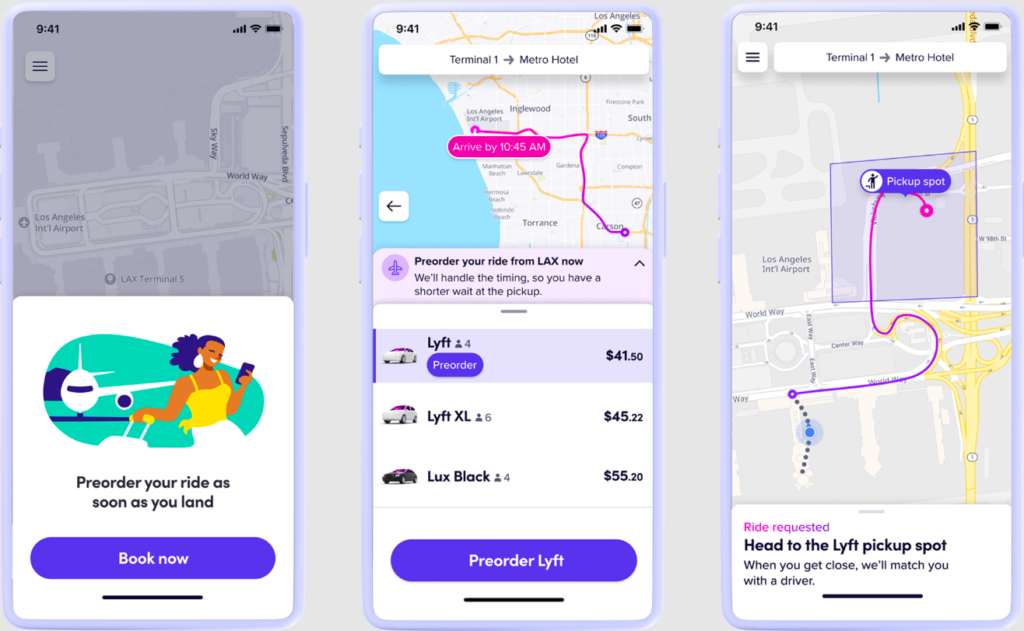
Key Features:
- Schedule rides up to 30 days in advance
- Price Lock: The price at the time of scheduling is your final price, unaffected by future surge pricing
- Modify/Cancel: Free modifications are allowed more than 1 hour before the scheduled time; cancellations within 1 hour incur a cancellation fee
🎯 Airport Pickup On-Time Guarantee
Lyft offers the On-Time Pickup Promise for airport reservations (became a permanent feature since summer 2024):
- Driver is more than 10 minutes late: Receive $15 Lyft Cash compensation (Note: This amount was reduced from $20 to $15 in summer 2024)
- No match 10 minutes after scheduled time: Receive $50 Lyft Cash compensation
- Forced to use alternative transportation: Up to an additional $50 compensation
Pro Tips:
- Check the weather forecast—if heavy snow is expected tomorrow, schedule tonight!
- Even for early morning flights, scheduling locks in the price and avoids late-night surge pricing
- Reduces same-day anxiety and uncertainty
🎁 Referral Code CHU51350 Tutorial: Stop Getting Ripped Off!

In Cantonese, “水魚” (water fish) means someone who’s easily taken advantage of. In the world of Lyft, if you sign up without entering a promo code, you’re basically throwing away tens of Canadian dollars in new user bonuses!
📱 Complete Step-by-Step Guide
Step 1: Download the Lyft App
- iOS users: Search “Lyft” on the App Store
- Android users: Search “Lyft” on Google Play
Step 2: Register Your Account
- Enter your Canadian phone number (must be a local number, VoIP not accepted)
- Verify the SMS code
- Set up your profile (name, email)
Step 3: Enter the Referral Code (Important!)
- Tap the “☰” menu icon in the top-left corner of the app
- Select “Rewards” or “Promos“
- Find the “Add promo code” field
- Enter: CHU51350 (all caps)
- Click “Apply“
- Take a screenshot after seeing the success message! (This is proof for disputes)
Step 4: Add Payment Method
Accepted methods:
- Credit cards (Visa, Mastercard, Amex)
- Debit cards
- Apple Pay
- Google Pay
⚠️ Note: Lyft Canada does not accept cash payments!
💡 Promo Code Strategy: Maximize Your Savings
Typical offer details (varies by region):
- 50% off your first 1-5 rides
- Save up to $10 CAD per ride
- Or fixed discounts (e.g., $5 off each of your first 3 rides)
⚡ Golden Rule: Don’t Waste It on Short Trips!
❌ Wrong way:
- Ride 1: $8 short trip (save $4)
- Ride 2: $10 medium trip (save $5)
- Total saved: $9
✅ Smart way:
- Ride 1: $25 airport transfer (save $10)
- Ride 2: $20 cross-district commute (save $10)
- Total saved: $20
Pro tip: Save your promo code for rides over $20 to maximize your absolute savings!
⏰ Important Reminder: Time Sensitivity
- Referral code must be entered before your first ride to be valid
- Once you complete your first ride, you cannot add a referral code retroactively
- Offers typically have a 30-day expiration (from account creation)
Best practice:
- Confirm you have an upcoming ride need (airport trip tomorrow, weekend dinner)
- Then download the app and register
- Immediately enter CHU51350
- Complete your first ride within 24 hours to ensure the offer activates
❄️ Canadian Winter Special: Rideshare Strategy in -20°C Weather
This is the most essential guide for Canadian Lyft users, yet few people know these tips! I’ve had some brutal experiences requesting rides during Toronto snowstorms, and I’ve compiled this survival guide to share with you.

🌨️ Winter Tire Regulations: Drivers Must Comply
📍 Provincial Requirements
Quebec (Strictest):
- Mandatory period: December 1 – March 15 (inclusive)
- Requirement: Must have Three-Peak Mountain Snowflake (3PMS) symbol or studded tires
- Fine: $200-300
- ⚠️ Note: Lyft launched service in Montreal and Quebec City on June 17, 2025, with plans to expand to Laval, Longueuil, Gatineau, Sherbrooke, and other cities
Ontario (Toronto, Mississauga):
- Mandatory period: December 1 to April 30
- Requirement: Private Transportation Company (PTC) vehicles (including Lyft and Uber) must have snow tires or all-weather tires installed on all four wheels in Toronto and Mississauga
- Note: Ottawa does not mandate winter tires
- Enforcement: City governments conduct regular inspections, and non-compliant drivers face fines and operating bans
British Columbia:
- Mandatory period: October 1 to March 31 on most major highways; extended to April 30 on some mountain routes
- Coverage: Most major provincial highways (not limited to Highway 99)
- Requirement: Winter tires must display the Three-Peak Mountain Snowflake symbol or M+S marking, with minimum tread depth of 3.5mm
🚗 Wait & Save vs Priority: A Matter of Life and Death
🐌 Wait & Save Mode
How It Works:
- You agree to wait 5-40 minutes
- The system matches you with the best-positioned driver
- In exchange for lower fares (save $1-5)
Best Situations:
- ☀️ Sunny days with no time pressure for daily commutes
- 🛍️ Planned shopping trips when you know in advance
- 🕐 Off-peak hours
Not Recommended For:
- ❄️ Severe snowstorms or extreme cold weather (such as wind chill below -15°C where even 10 minutes feels unbearable)
- ⏰ Time-sensitive trips like catching flights or important meetings
- 📈 Peak hours with surge pricing (waiting long doesn’t guarantee significant savings)
⚡ Priority Pickup Mode
How It Works:
- Pay an additional service fee slightly higher than standard rides (the exact amount varies by city and current demand, typically displayed in the app beforehand),
- The system prioritizes your request, more likely to assign nearby available drivers to you, getting you picked up faster.
Why You Should Consider It in Winter?
- Higher Driver Cancellation Rates: During snowstorms or poor road conditions, overall driver acceptance rates naturally decline. Many drivers prefer shorter distances, higher fares, and lower-risk orders. In comparison, cheaper Wait & Save orders that may require longer waits are more likely to experience driver cancellations or prolonged periods without acceptance.
- Outdoor Risks: Waiting in sub-zero temperatures increases physical risks, and phone batteries temporarily lose efficiency in extreme cold
- Certainty: Priority buys you more than just speed—it offers relatively higher matching success rates and psychological peace of mind. While no service can guarantee 100% availability, during severe weather or high-demand periods, Priority typically reduces the risk of extended waits or complete inability to get a ride.
💬 Real Experience: I once used Wait & Save during a Montreal snowstorm. The system said “maximum 20-minute wait,” but I ended up waiting 1.5 hours before a driver accepted. The few dollars saved meant spending over an hour exposed to the blizzard, nearly losing feeling in my hands and feet. Since then, whenever severe weather hits in winter, I almost exclusively choose Priority.
📅 Price-Locking Secret with Scheduled Rides: The Weather Forecast Is Your Best Friend
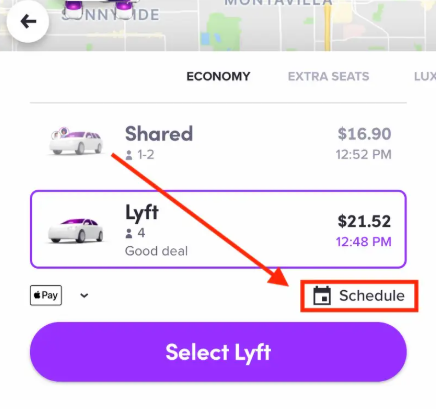
Tactical Strategy:
- Check next week’s weather forecast every Tuesday evening
- If heavy snow is forecasted, schedule the night before all important rides for that day
- Select “Standard” (cheapest option) to lock in the price
Price-Locking Mechanism:
- Schedule on Wednesday evening for Thursday 8 AM
- Scheduled price: e.g., $18 (scheduled rides are typically priced higher)
- Thursday brings heavy snow, real-time pricing jumps to $28 or more
- You only pay the scheduled $18!
This is like “price insurance.” On snowstorm days, Lyft’s dynamic pricing can reach 2-3x normal rates. Locking in prices early means saving half your fare!
🚙 Vehicle Selection: XL Is Safer in Snow
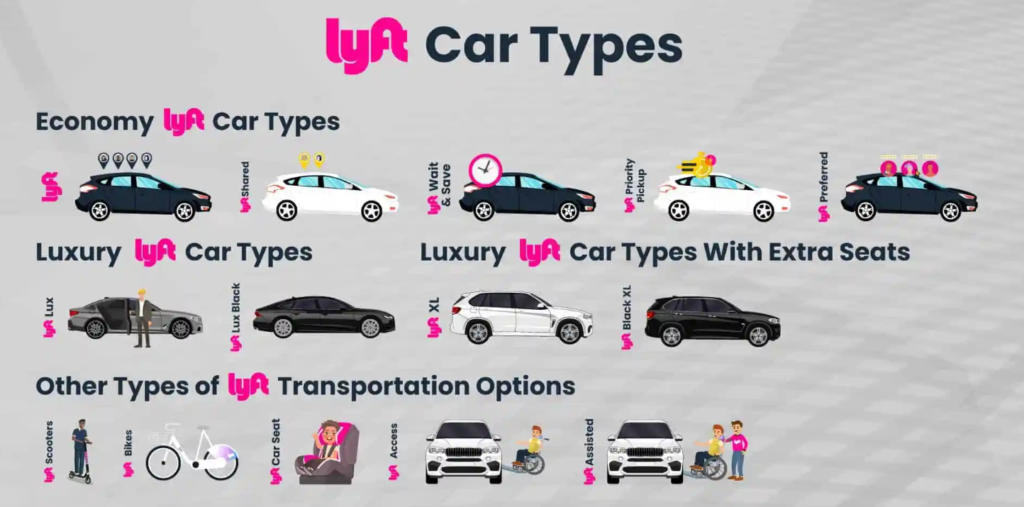
If weather conditions are severe, I strongly recommend requesting Lyft XL directly.
Why?
- Vehicle Advantage: XL typically means SUVs (Toyota Highlander, Ford Explorer) or Minivans
- Higher Equipment Rate: Some XL drivers choose to equip all-wheel drive (AWD) and quality snow tires, though this is not a Lyft requirement
- Drive Advantage: Some XL vehicles come with all-wheel drive (AWD) systems, providing better traction on snowy roads
- Space: More convenient when carrying large luggage or ski equipment
Price Difference: XL usually costs $5-10 more than Standard, but in a snowstorm, this is money well spent for safety.
🏠 Snow Removal Etiquette: The Risk of an Uncleared Driveway
This is Canada’s hidden winter trap!
Scenario:
- You request a ride from your house
- Your driveway has uncleared snow
- Driver arrives and refuses to enter
Consequences:
- Driver may cancel the order citing “unsafe pickup location“
- Driver won’t be charged a cancellation fee
- You may need to walk to the street in the cold to get picked up
Prevention Methods:
- Before requesting a ride, ensure your driveway and front entrance are shoveled
- If a snowstorm just ended, proactively tell the driver you’ll walk to the street
- Add in driver notes: “Please wait at main road, driveway not cleared“
🧊 Extreme Cold Weather (Below -20°C/-4°F) Tips
Battery Issues:
- Extreme cold can make it difficult for drivers to start their vehicles
- Wait times may be longer than what the app displays
- Keep your phone warm too! Store it in your pocket to prevent rapid battery drain
Vehicle Temperature:
- If the car isn’t warm enough when you get in, politely ask the driver to turn up the heat
- Most drivers will understand (they don’t like the cold either!)
Heating and Waiting Strategies:
- Enable the “Notify when driver arrives” feature
- Wait indoors until the driver pulls up right in front of you, then head out
- Don’t stand outside in the freezing wind!
⭐ Give Your Driver a 5-Star Rating and Tip
Drivers who brave harsh weather conditions truly deserve extra appreciation!
Recommended Tipping Guidelines:
- Standard rides: 10-15%
- Long-distance trips: 15-20%
- Help with luggage: Consider adding extra
- Severe snowstorm conditions: Consider increasing beyond standard percentages
💬 Why should you tip?
- Drivers take risks driving in hazardous weather
- Their vehicles suffer more wear and tear (road salt corrosion, tire wear)
- Good tipping habits lead to higher passenger ratings, making it easier to get rides in the future
How to Tip:
- In-app: The system prompts you to “Add tip” after your ride ends
- Cash: Give directly at the end of the ride (no need to tip in the app)
- Combination: You can choose to tip in the app or give cash directly
✈️ Airport Pickup Guide: YYZ Toronto & YVR Vancouver Complete Guide
Airport pickups are the most common use case for Lyft, and also where newcomers most easily make mistakes. Most major Canadian airports have designated rideshare pickup zones, and if you exit through the wrong door, you might find yourself walking halfway around the terminal in the freezing cold.
🛫 Toronto Pearson International Airport (YYZ)
Terminal 1 (T1)
Pickup Location:
- Located at Ground Level (lowest level), not the Arrivals Level
- From the baggage claim area, take the elevator or escalator to the lowest level
- Head toward Door P or Door Q to the blue curbside zone outside
- You’ll see signs indicating “Ride App Pickup” or “Ride Share”
Practical Tips:
- Look up at the column numbers
- Telling your driver “I’m at Column P3” is much more efficient than saying “I’m at the entrance”
- In winter, wait inside the terminal and head out only when your driver arrives
Terminal 3 (T3)
Pickup Location:
- Located at Arrivals Level
- Exit through Door D, head to the blue curbside zone near Zone 3 on the outer roadway
- Follow the “Ride App Pickup” or “Ride Share” signs inside the terminal and you won’t get lost
Note:
- T3’s rideshare pickup area is separate from the taxi queue; Lyft pickups are usually in the outer lane while taxis are in the inner lane
- Pay attention to ground markings and signs to avoid joining the wrong queue
🛫 Vancouver International Airport (YVR)
Three Designated Pickup Points
- There are three official designated Ride App pickup points where both Lyft and Uber operate.
- Domestic Arrivals (Canada Arrivals): Level 2. After clearing customs following the “Canada Arrivals” signs, follow the “Ride App Pick-up” signs to the outdoor pickup area.
- International Arrivals (International Arrivals): Also at Level 2. After clearing customs, follow the “Ride App Pick-up” or “Ride App” signs to the designated international arrivals pickup point.
- For the South Terminal (South Terminal), there’s a separate Ride App pickup zone. Just follow the “South Terminal Ride App” signs.
🧳 Luggage vs Vehicle Type Comparison
| Scenario | Passengers | Luggage Quantity | Recommended Vehicle | Reason |
|---|---|---|---|---|
| Solo Business Trip | 1 | 1 carry-on + 1 laptop bag | Standard | Most cost-effective option. Regular four-door sedans can typically accommodate 1 suitcase + 1 laptop bag (depending on specific vehicle model) |
| Couple’s Getaway | 2 | 2 large suitcases (28-inch) | Standard | Most standard sedans can fit 2 large 28-inch suitcases, but if you have extra luggage or a smaller vehicle model, you may need to upgrade to XL. We recommend communicating with your driver before getting in the car. |
| Small Family | 3 | 3 large suitcases | XL | XL vehicles are typically 7-seater SUVs or minivans that can accommodate up to 6 passengers, with more cargo space than standard vehicles, offering better chances of fitting 3 large suitcases. (Actual space depends on specific vehicle model.) |
| Moving/Skiing | 1-4 | Multiple bags + special equipment | XL | XL vehicles are often small vans or large SUVs with more cabin space and foldable seats to create larger storage areas, making them more suitable for multiple bags or ski equipment. However, you should confirm in advance whether the driver can accommodate bulky equipment. |
| Luxury Experience | 1-3 | Premium luggage | Black | Black is Lyft’s premium black car service, featuring newer model black sedans with black leather seats, paired with highly-rated drivers for a more sophisticated look and feel. However, it doesn’t necessarily guarantee luxury brands like BMW, Mercedes-Benz, or Audi, or formally dressed drivers. |
🎿 Special Reminder for Ski Equipment
Vancouver → Whistler
If you’re traveling with snowboards or skis:
❌ Never Request Standard
- If you’re bringing a snowboard or skis, we don’t recommend ordering Standard because Standard vehicles like a typical Toyota Camry are regular four-door sedans with limited trunk length. In many cases, they cannot lay the long boards flat and can only awkwardly extend them from the back seat, which is inconvenient for both travelers and equipment.
✅ Must Request XL
- We recommend choosing XL or larger vehicle types. XL vehicles are typically 7-seater SUVs or minivans that can fold down sections to create elongated storage space, offering better chances of successfully accommodating ski gear compared to standard vehicles. However, whether they can fit depends on the actual vehicle model and board length, so we suggest messaging your driver through the app after booking to confirm they can accommodate your snowboard.
🚨 Special Winter Airport Transfer Tips
- Allow Extra Time: After heavy snowfall, airport roads may experience traffic congestion. Allow an extra 30 minutes compared to normal conditions
- Schedule Rides: We recommend using the “Scheduled Rides” feature for airport trips. Lyft offers an “On-Time Pickup Guarantee” for select airports. If your scheduled airport ride driver is more than approximately 10 minutes late, Lyft will provide compensation in the form of Lyft Cash, starting at around $15. Actual details are displayed in the app.
- Flight Tracking: At supported airports and for eligible flights, Lyft will adjust recommended pickup times or items based on your entered flight information and real-time status. However, not all cities have full flight tracking functionality. We still recommend allowing extra time and paying attention to in-app notifications.
- Vehicle Selection: During winter or heavy snowfall, consider directly choosing XL or SUV vehicle types. These have larger bodies and typically more robust construction, generally providing better handling than small sedans on snow-covered roads. Whether they’re equipped with snow tires or all-wheel drive depends on the individual driver and vehicle model. After booking, you can proactively message the driver to confirm.
💳 Credit Card Rewards: Which Canadian Cards Give You the Best Lyft Benefits?
The harsh reality: Lyft’s official partnership promotions with Mastercard (like “Get $5 off after 3 rides”) are currently US-only. However, Canadian users can still maximize their rewards!
🏆 Recommended Credit Card Strategies
WestJet RBC World Elite Mastercard
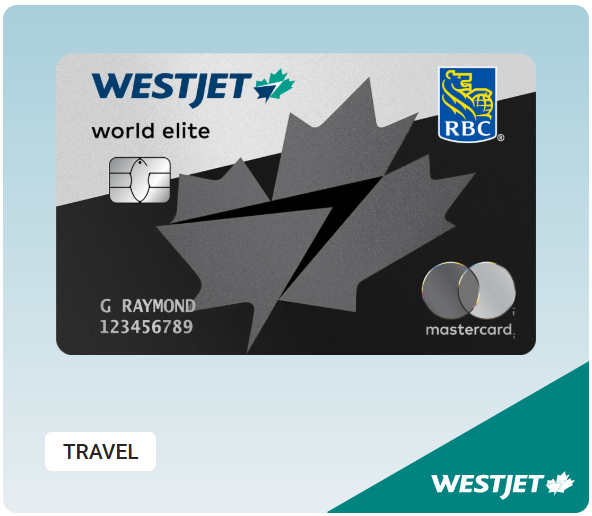
- Rewards: Earn 2x WestJet Dollars on transportation (including rideshare)
- Advantage: One of the few Canadian cards that explicitly includes rideshare in bonus earning categories
American Express Cobalt
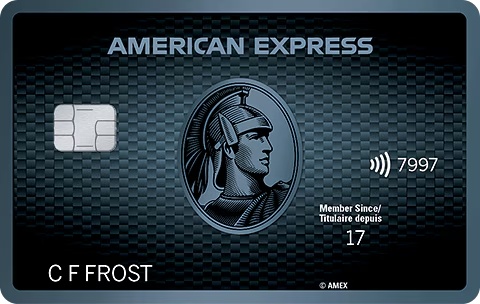
- Rewards: 2x MR Points on transportation (including rideshare)
- Value: MR points valued at approximately 1.75-2.0 cents/point (depending on redemption method), equivalent to about 3.5-4% return
- Advantage: Points are transferable to Aeroplan
- Canada’s “holy grail card”!
Scotiabank Gold Amex
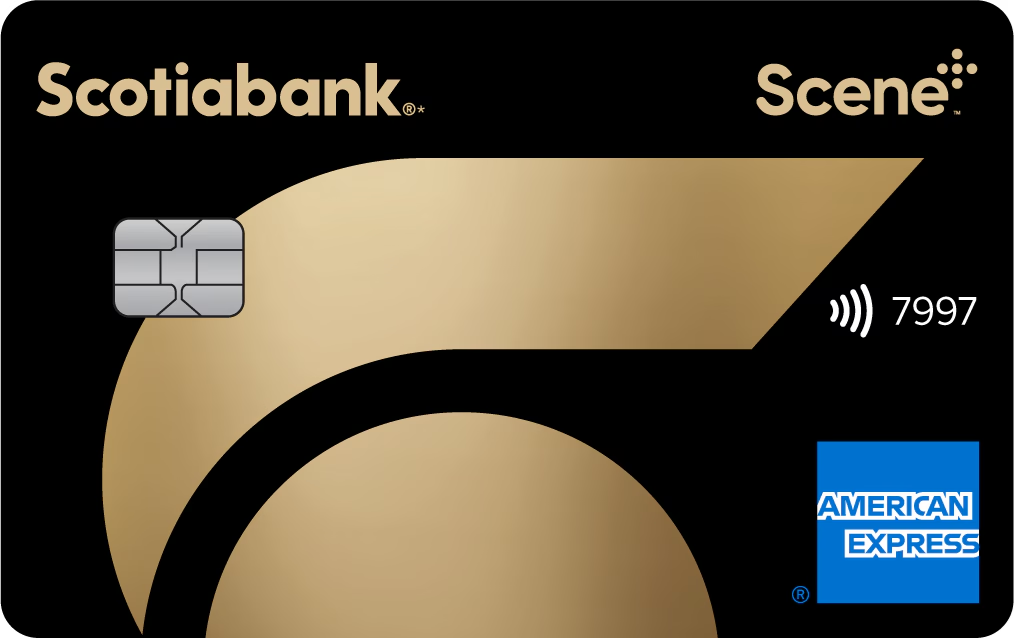
- Rewards: 3x Scene+ points on gas stations and everyday transit (including rideshare, buses, taxis, subway, etc.)
- Best for: Users who enjoy movies or redeeming for travel expenses
Tangerine Mastercard
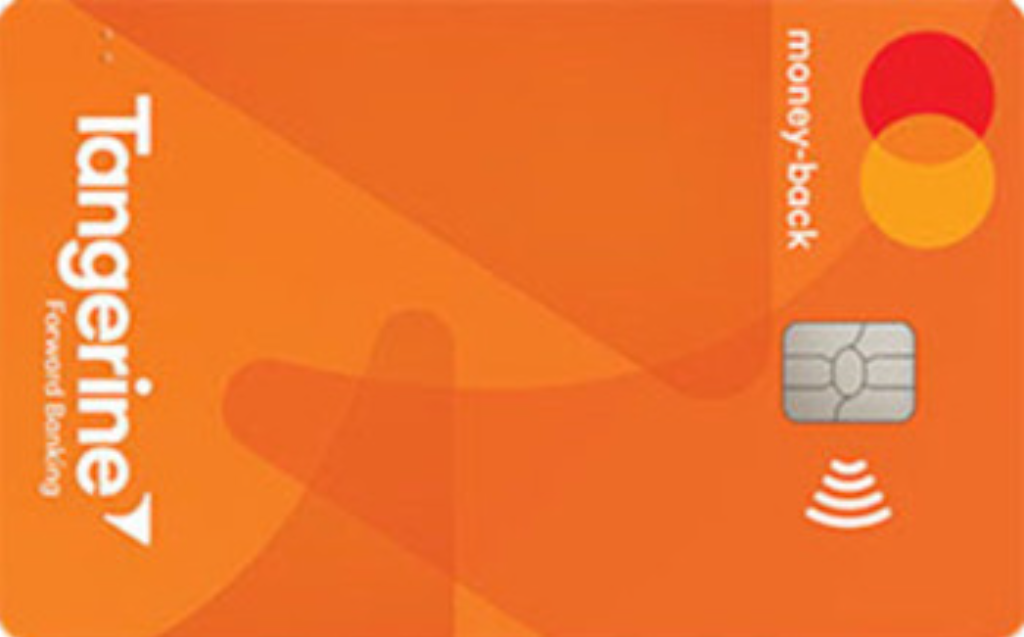
- Rewards: Choose 3 categories for 2% cash back
- Strategy: Select the “Public Transportation and Parking” category
Important Note for Amex Platinum Cardholders
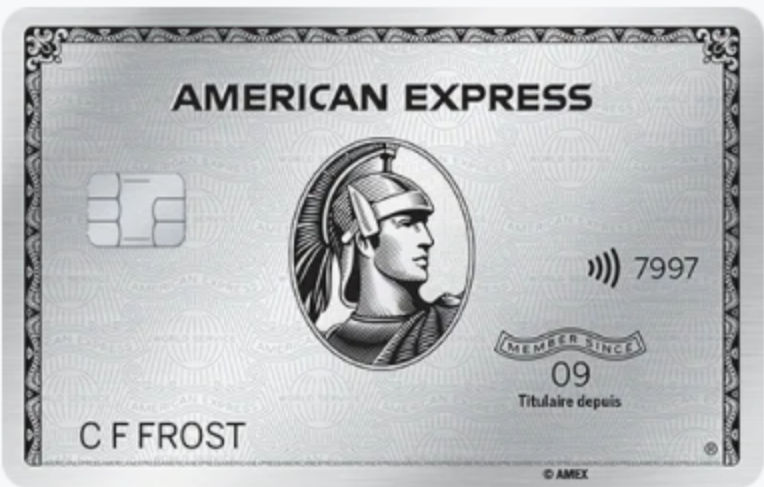
- The Canadian Amex Platinum Card does not offer Uber/Lyft monthly benefits (only the US version of the Platinum Card includes up to $200 monthly Uber Cash)
- However, you can still use it normally and earn base points
💎 Ultimate Strategy: Link Hilton + High-Earning Card
Real-World Example:
- Link your Hilton Honors account ($1 USD = 3 points)
- Pay with Amex Cobalt (2x MR Points = 4% return)
- Take a $60 CAD ride (approximately $43 USD*)
You’ll Earn:
- Amex: 90 MR Points (valued at $1.80)
- Hilton: 129 Hilton Points (valued at approximately $0.76, calculated at 0.59 cents/point)
- Total rewards: $2.45 (extra value on top of your ride)
Take 20 rides per year: $2.45 × 20 = $49 in free earnings!
🆘 Having Issues? The Right Way to Request Refunds and File Complaints
📱 How to Request a Refund Through the App
Steps:
- Open the Lyft app and tap the “☰” menu in the top-left corner
- Select “Ride History“
- Find and tap on the problematic ride
- Tap “Get Help” at the bottom
- Select “Dispute the fare or charge“
- Provide a detailed explanation of the issue and submit
Processing Time: 3-5 business days, with results sent via email
💰 Situations That May Qualify for a Refund
✅ Driver took a longer route resulting in higher fare
✅ Driver failed to pick up or drop off at the specified location
✅ Safety concerns during the ride
✅ Unreasonable cleaning fee charged
✅ Charged for a cancelled trip
Refund Methods:
- For unclear disputes: Typically issued as Lyft Credit (ride credits)
- For clear issues (such as overcharges or unauthorized rides): May be refunded to your original payment card or as Lyft Credit
🚨 How to Report Driver Issues
In-App Reporting:
- Go to Ride History → Select the ride in question
- Tap “Get Help”
- Choose from:
- “Submit feedback on driver” (general feedback)
- “Report a safety concern” (safety issues)
- “Report an accident” (accident reporting)
Contact Methods:
- ⚠️ No phone support for general passenger inquiries (but safety emergencies can call 1-855-865-9553)
- 📞 Emergency Safety Support Hotline: 1-855-865-9553 (24/7, for driver and passenger safety emergencies)
- 💻 Online Support: help.lyft.com
- 🐦 X (Twitter): @AskLyft
Response Time:
- General issues (passengers): 1-2 business days through app support
- Safety incidents: Prioritized by the Critical Response Team, typically faster
🐾 Special Scenarios Guide
🐕 Riding with Pets: Winter Road Salt Precautions
Pet Mode (currently US only):
- Fee: $4 surcharge (US market pricing)
- Rules: One pet, must remain in a carrier or on the floor mat
Alternative for Canadian Users:
- Request a ride first, then contact the driver
- Politely ask if they’re willing to accept your pet
- If declined, cancel and request another ride (watch for cancellation fees)
⚠️ Critical Warning:
- Winter streets are covered with road salt and chemical de-icers
- Dogs stepping in slush and jumping onto seats can cause stains that lead to cleaning fees! Lyft’s cleaning fee structure:
– $20: Minor mess (dirt, pet hair, food crumbs)
– $40: Moderate mess (significant food or liquid spill outside the car or on the floor)
– $80: Moderate interior mess
– $150: Severe damage
Expert Tips:
- ✅ Bring your own old blanket or pet mat and lay it on the seat before getting in
- ✅ Have a pet carrier ready (for small pets)
- ✅ Offer an extra tip ($5-10 CAD)
- ✅ Wipe your pet’s paws and belly before entering the vehicle
🧒 Riding with Infants: Car Seat Requirements
Legal Requirements:
- Canadian law mandates the use of infant car seats
- Standard Lyft rides do not provide car seats
Your Options:
- Bring your own car seat (most common)
- Use taxi services (some provide car seats)
- Rent a specialized family transportation service
⚠️ Important: Under Canadian law, without a car seat, drivers have a legal obligation to refuse child passengers! Lyft and Uber drivers must comply with this regulation.
🎒 How to Properly Use Mid-Trip Stops (Add a Stop)
Lyft allows you to add stops during your trip (like “stop at the convenience store before going home”).
Correct Method:
- Before or after getting in the car, open the Lyft app
- Tap the “+” sign below your destination
- Select “Add a stop“
- Enter the stop location
- The app will automatically calculate additional time and costs
Common Mistakes (Don’t Do This): ❌ Verbal requests for stops: “Let’s grab coffee first”
- Drivers have the right to refuse verbal stop requests
- Stops must be added through the app for proper fare calculation
Winter Special Considerations:
- Keep stops under 3 minutes (Lyft’s official recommendation)
- If a stop exceeds 5 minutes, end the current trip and request a new ride
- Avoid making drivers wait in the cold for extended periods
❓ FAQ: Frequently Asked Questions
Is Lyft cheaper or more expensive than Uber in Canada?
A: Both platforms have competitive pricing under dynamic pricing models. Generally, Lyft offers more promotions during off-peak hours and provides stronger incentives for new users (using CHU51350). We recommend downloading both apps to compare prices. For airport transfers, Lyft is often the more affordable option.
Do I need to tip Lyft drivers in Canada? How much is appropriate?
A: In North American tipping culture, the expected tip for Lyft drivers is 10-15%. If the driver helps with luggage or picks you up in harsh weather, consider tipping 20%+. Even a $1 tip is better than no tip at all.
How are Lyft cancellation fees calculated?
A: Cancellation policy:
- Cancel within 30 seconds after driver accepts: Free
- Cancel when driver is en route and on time: $2-5 fee (depending on distance)
- Cancel when driver has arrived: $5-10 fee
- Lyft Pink members: 3 free cancellations per month (must request a new ride)
How high can Lyft Primetime (surge pricing) go?
A: Lyft doesn’t publicly disclose a maximum multiplier. In extreme situations (major event endings, severe weather), prices can be 2-3 times higher or more than normal rates. Consider waiting 5-15 minutes and refreshing, or use the scheduled ride feature to lock in a price.
Can I earn both airline miles and hotel points simultaneously?
A: Yes, you can link different types of partners. Lyft allows you to simultaneously connect one airline partner (such as United Airlines or Alaska Airlines) and one hotel partner (Hilton Honors). You cannot earn miles from two airlines at once—you’ll need to select which one to activate in the app’s “Rewards” section. As of November 2025, United MileagePlus has become a new partner, allowing members to earn miles. In early 2026, you’ll be able to redeem miles for Lyft rides.
Why didn’t I earn miles after linking my Delta account?
A: Because Delta’s partnership with Lyft ended on April 7, 2025. Delta has since partnered with Uber instead. If you’re a Delta member wanting to earn miles, you now need to use Uber rather than Lyft.
Can I upgrade to the Lyft Pink “All Access” plan?
A: Yes. Lyft Pink All Access costs $199/year (vs. standard $99) and includes additional benefits:
- Unlimited 45-minute bike rides
- Unlimited e-bike and scooter unlocks
- Bike Angels rewards program in select areas
If you frequently bike in cities like Toronto or Vancouver with bike-share programs, All Access can save you $30-50/month, paying for itself annually.
Can I use my Lyft account to request rides for my parents who don’t speak English?
A: Yes! Use the “Call a ride for someone else” feature:
- After entering the destination, tap “For Me” at the top
- Switch to “Add a rider”
- Select your parents’ contact information from your address book
- The driver’s phone will display your parents’ name and your phone number, preventing wrong-passenger mix-ups
How far in advance can I schedule a ride?
A: You can schedule rides up to 90 days in advance. This is extremely useful for planning airport transfers or important trips ahead of time. The price shown when scheduling is your final price and won’t be affected by later surge pricing.
What should I do if I left something in a Lyft?
A: Steps to follow:
- App → Ride History → Select the ride in question
- Tap “Get Help” → “I lost an item”
- The system will help you contact the driver
- If successfully retrieved, you’ll pay a $20 return fee to the driver
We recommend addressing this as soon as possible after discovering the loss—success rates decrease over time.
Will I be charged a cancellation fee if the driver is late during a snowstorm?
A: If the driver’s actual arrival time (ETA) is more than 5 minutes later than estimated, you can cancel for free. If you’re charged, appeal afterwards with the reason “Driver was behind schedule” for a refund. Including a screenshot of weather alerts can improve approval chances.
Do all Lyft vehicles have car seats available?
A: No. Regular Lyft rides in Toronto and Vancouver do not provide car seats. You must bring your own. If you have an infant but no safety seat, drivers have the right—and legal obligation—to refuse the ride.
Are all Lyft drivers required to have snow tires in winter?
A: In Toronto and Mississauga, municipal bylaws require drivers to install winter or all-season tires from December 1 to April 30. Ottawa and other cities may have different regulations—we recommend checking local bylaws. Lyft complies with enforcement. However, in other Ontario cities and provinces without mandatory requirements, this is not enforced. Check local regulations for confirmation.
When will Women+ Connect launch in Canada?
A: Currently, there is no official timeline. Women+ Connect rolled out nationwide in the U.S. in February 2024, but no Canadian launch date has been announced. We recommend following the official Lyft Blog for the latest updates.
Can the referral code CHU51350 be stacked with other promotions?
A: Referral code rewards are automatically saved to your account, and the system will automatically apply the best available discount for each ride. If you have multiple promo codes, Lyft will prioritize those expiring soonest or offering the largest discount.
Can I ask the driver to stop mid-trip so I can grab a coffee?
A: We strongly recommend using the app’s “Add a stop” feature rather than making verbal requests. Extra waiting time from verbal requests gives drivers the right to report this through the app to Lyft and add a $5-10 fee. If you add the stop in the app beforehand, the fee will be displayed transparently and the driver will agree in advance.
🚀 Ready to Start Your First Smart Ride?
Take Action Now:
- 📱 Download the Lyft App
- 🎁 Enter promo code: CHU51350 (Don’t forget to screenshot and save your discount!)
- ✈️ Link your Alaska/Hilton account and activate your points-earning machine
- 🌟 Enjoy every mile of your journey in Canada
Remember: Book your ride in advance before the snowstorm hits!
📌 Lyft Service Cities in Canada
For your convenience, here are the major service areas where Lyft operates in Canada (updated as of December 2025):
Ontario:
- Toronto (Toronto + GTA – Greater Toronto Area)
- Ottawa
- Hamilton
- London
- Kitchener-Waterloo
- Niagara Region
- Barrie
British Columbia:
- Vancouver (Vancouver + Metro Vancouver)
- Victoria
- Kelowna
- Whistler
Alberta:
- Calgary
- Edmonton
Manitoba:
- Winnipeg – Newly launched November 12, 2024!
Quebec:
- ✅ Montreal – Launched June 17, 2025
- ✅ Quebec City – Launched June 17, 2025
- 📍 Planned expansion to: Laval, Longueuil, Gatineau, Sherbrooke, Trois-Rivières, Saguenay (ongoing rollout)
🎯 Conclusion: Start Your Smart Lyft Journey
In Canada, Lyft is more than just an app—it’s the lifeline connecting you to the city’s pulse. Whether it’s the anxiety of catching a 5 AM ride to YYZ airport or the exhaustion of getting home from downtown bars on a Friday night, Lyft is always there.
Having mastered the strategies in this guide—from the financial wisdom of points stacking to the survival tactics for winter travel—you’re no longer just a passive passenger but a savvy transportation manager.
✨ Core Money-Saving Strategy Recap
✅ Use referral code CHU51350 to get your new user discount
✅ Link airline/hotel accounts—every ride accumulates travel rewards
✅ Use Wait & Save feature (on clear days) or Priority Pickup (in winter)
✅ Schedule rides to lock in prices and avoid surge pricing
✅ Always book airport pickups in advance for on-time guarantee
Share this with friends heading to Canada, or bookmark it for yourself! Wishing you smooth, warm, and budget-friendly journeys throughout Canada! 🍁❄️🚗


